> ## Documentation Index
> Fetch the complete documentation index at: https://docs.didit.me/llms.txt
> Use this file to discover all available pages before exploring further.
# Data retention
> Configure how long Didit stores verification data, delete sessions on demand, and implement privacy-first KYC with EU residency, GDPR, and DPA support.
## Role and processing location
| Aspect | Detail |
| ---------------------- | ------------------------------------------------------------------------------------------------------------------------------------ |
| **Processor role** | Didit acts as a **data processor**; you remain the data controller. |
| **Processing region** | EU by default. Enterprise accounts can enable **in-country processing** (local data residency) subject to availability and contract. |
| **Regulatory posture** | Designed to support **GDPR** and local data-protection regimes. Configure retention below to meet your obligations. |
Need a DPA, TOMs, or other compliance attestations? Contact your Didit representative.
***
## Retention controls
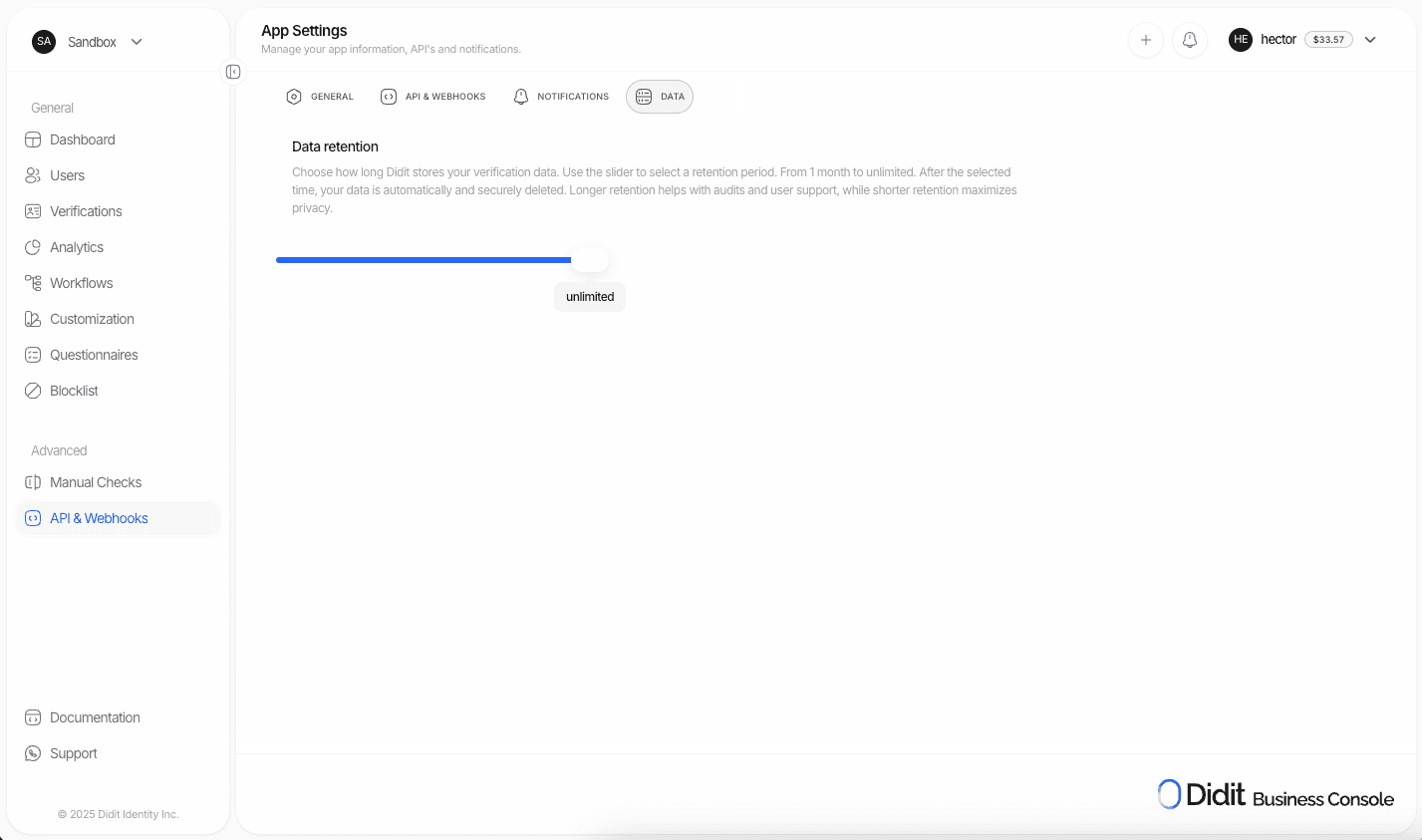
Configure retention in **Business Console → App Settings → Data**.
Go to **Business Console → App Settings → Data**.
Select a window from **1 month** to **10 years**, or leave as **unlimited** (default).
Click **Save** to apply the policy to all future and existing sessions.
The policy applies to verification inputs/outputs, derived results, and operational metadata stored by Didit.
 ***
## Manual deletion
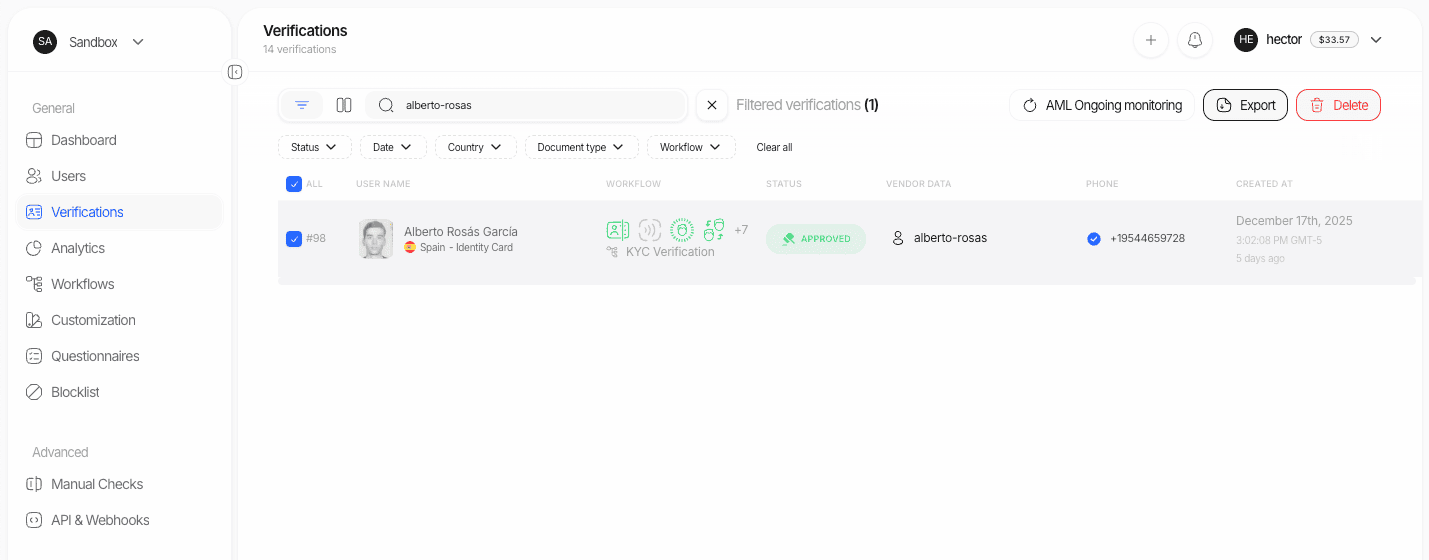
Delete individual sessions from the Console when you need one-off removals.
1. Navigate to **Dashboard → Verifications**.
2. Search or filter for the target session.
3. Click the **Delete** button (top-right) and confirm.
***
## Manual deletion
Delete individual sessions from the Console when you need one-off removals.
1. Navigate to **Dashboard → Verifications**.
2. Search or filter for the target session.
3. Click the **Delete** button (top-right) and confirm.
 ***
## Programmatic deletion
Delete a session via the API at any time by calling the [Delete Session](/sessions-api/delete-session) endpoint.
```bash theme={null}
curl --request DELETE \
--url https://verification.didit.me/v3/session/{session_id}/ \
--header 'x-api-key: YOUR_API_KEY'
```
| Response | Meaning |
| ---------------- | ------------------------------------------------ |
| `204 No Content` | Session deleted successfully. |
| `404 Not Found` | Session already deleted or unknown `session_id`. |
***
## Process-and-purge pattern
For maximum data minimization, process verification data through Didit and purge it immediately after receiving results via webhooks.
Your backend calls the [Create Session](/sessions-api/create-session) API.
Identity, liveness, AML, and any other configured checks execute automatically.
Didit sends a [webhook](/integration/webhooks) with `status`, `session_id`, `vendor_data`, and full verification data.
Store the minimum fields required for your records (e.g., `status`, `vendor_data`).
Call the [Delete Session](/sessions-api/delete-session) API for that `session_id` to remove all data from Didit.
***
## Security and assurance
ISMS in place. Certificate and excerpts available on request.
Periodic third-party penetration tests with tracked remediation.
No security breaches reported to date.
Dedicated cybersecurity team with least-privilege access and strict environment separation.
All API activity is recorded in **Audit Logs** for security, compliance, and troubleshooting. Logs are retained for **365 days** and then auto-deleted.
***
## Privacy-minimized storage
We are adding features that let you **retain only selected data fields** — for example, keep `status` and `vendor_data` while auto-purging heavier artifacts like images and documents. This gives stricter control for teams operating under data-minimization principles.
Want early access to artifact-level retention rules? Contact your Didit representative.
***
## FAQ
Yes. You can configure different retention policies for each application you have in Didit.
Yes. Export session data via the Console or API, then call the Delete Session endpoint.
Use **Audit Logs** in the Console. Filter by user, endpoint, or date range. Logs are retained for **365 days**.
***
## Implementation checklist
Set your retention policy in **Console → App Settings → Data**.
Set up [webhooks](/integration/webhooks) and verify signatures.
Store only the fields your business requires.
Call the [Delete Session](/sessions-api/delete-session) API if you use the process-and-purge pattern.
Verify your processing region (EU by default, or in-country for enterprise).
Use separate Sandbox and Live API keys with independent retention policies. Rotate keys regularly.
***
## Programmatic deletion
Delete a session via the API at any time by calling the [Delete Session](/sessions-api/delete-session) endpoint.
```bash theme={null}
curl --request DELETE \
--url https://verification.didit.me/v3/session/{session_id}/ \
--header 'x-api-key: YOUR_API_KEY'
```
| Response | Meaning |
| ---------------- | ------------------------------------------------ |
| `204 No Content` | Session deleted successfully. |
| `404 Not Found` | Session already deleted or unknown `session_id`. |
***
## Process-and-purge pattern
For maximum data minimization, process verification data through Didit and purge it immediately after receiving results via webhooks.
Your backend calls the [Create Session](/sessions-api/create-session) API.
Identity, liveness, AML, and any other configured checks execute automatically.
Didit sends a [webhook](/integration/webhooks) with `status`, `session_id`, `vendor_data`, and full verification data.
Store the minimum fields required for your records (e.g., `status`, `vendor_data`).
Call the [Delete Session](/sessions-api/delete-session) API for that `session_id` to remove all data from Didit.
***
## Security and assurance
ISMS in place. Certificate and excerpts available on request.
Periodic third-party penetration tests with tracked remediation.
No security breaches reported to date.
Dedicated cybersecurity team with least-privilege access and strict environment separation.
All API activity is recorded in **Audit Logs** for security, compliance, and troubleshooting. Logs are retained for **365 days** and then auto-deleted.
***
## Privacy-minimized storage
We are adding features that let you **retain only selected data fields** — for example, keep `status` and `vendor_data` while auto-purging heavier artifacts like images and documents. This gives stricter control for teams operating under data-minimization principles.
Want early access to artifact-level retention rules? Contact your Didit representative.
***
## FAQ
Yes. You can configure different retention policies for each application you have in Didit.
Yes. Export session data via the Console or API, then call the Delete Session endpoint.
Use **Audit Logs** in the Console. Filter by user, endpoint, or date range. Logs are retained for **365 days**.
***
## Implementation checklist
Set your retention policy in **Console → App Settings → Data**.
Set up [webhooks](/integration/webhooks) and verify signatures.
Store only the fields your business requires.
Call the [Delete Session](/sessions-api/delete-session) API if you use the process-and-purge pattern.
Verify your processing region (EU by default, or in-country for enterprise).
Use separate Sandbox and Live API keys with independent retention policies. Rotate keys regularly.