> ## Documentation Index
> Fetch the complete documentation index at: https://docs.didit.me/llms.txt
> Use this file to discover all available pages before exploring further.
# Export to PDF & CSV
> Export KYC verification results to PDF reports or CSV files for compliance audits, regulatory reporting, and data analysis. Available in the console or via API.
Didit lets you export verification data in two formats — **PDF** for individual session reports and **CSV** for bulk data exports. Both options are available from the Didit Console and through the API.
***
## Export PDF
Generate a PDF report containing the full verification results of an individual session. You can do this in two ways:
* **From the Console** — open any session and click the **Download PDF** button.
* **Via the API** — call the [Generate PDF](/sessions-api/generate-pdf) endpoint.
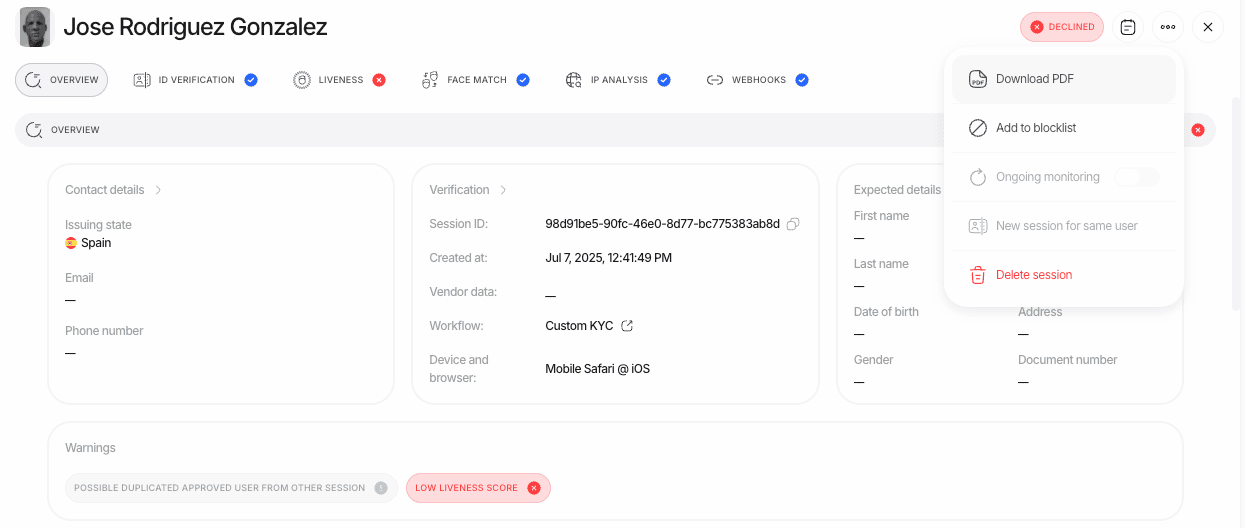 The PDF includes all verification steps, extracted data, biometric scores, AML results, and the final decision — formatted for compliance audits and regulatory filings.
***
## Export CSV
The CSV export allows you to download verification session data in bulk for further analysis or record-keeping. Customize the exported data by selecting specific columns and filtering sessions.
The PDF includes all verification steps, extracted data, biometric scores, AML results, and the final decision — formatted for compliance audits and regulatory filings.
***
## Export CSV
The CSV export allows you to download verification session data in bulk for further analysis or record-keeping. Customize the exported data by selecting specific columns and filtering sessions.
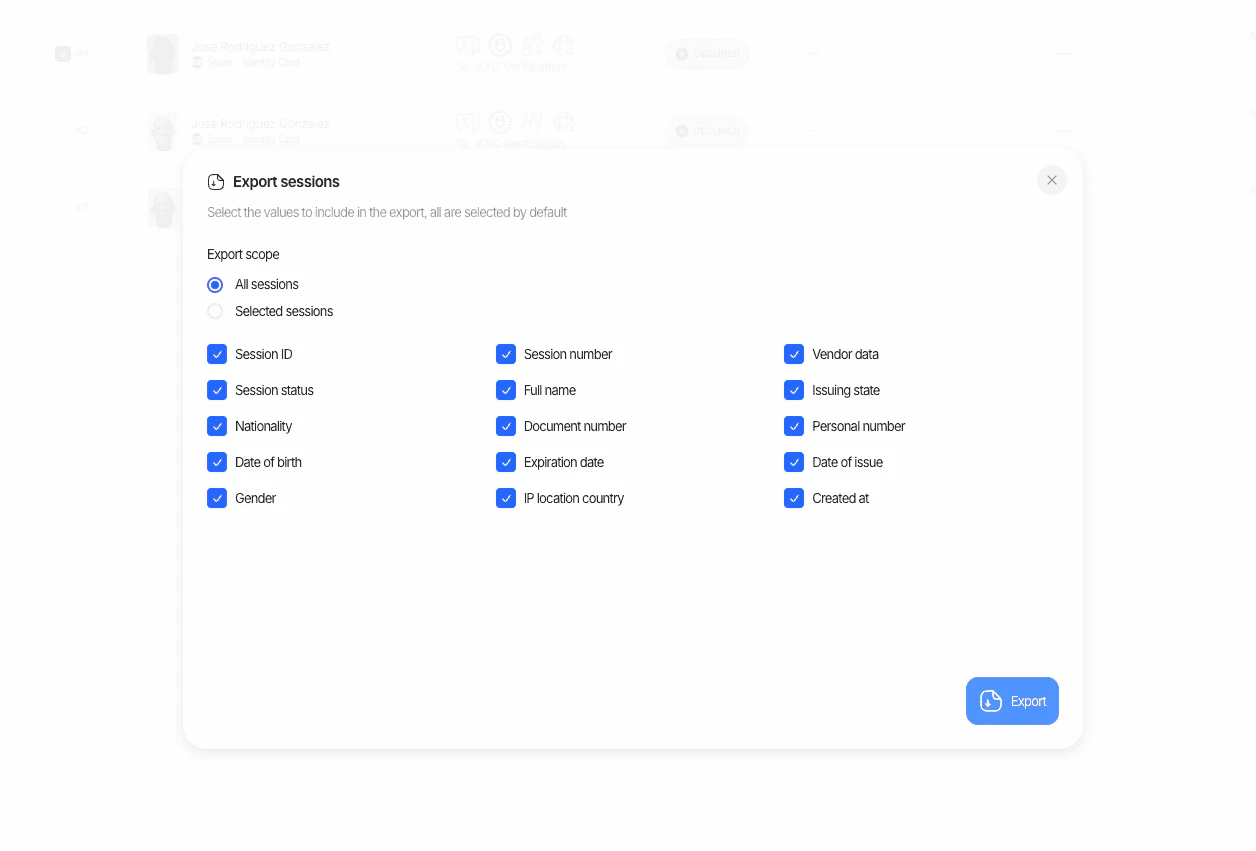 Use CSV exports for periodic compliance reports, internal analytics, or importing verification data into your own systems.