> ## Documentation Index
> Fetch the complete documentation index at: https://docs.didit.me/llms.txt
> Use this file to discover all available pages before exploring further.
# Device & IP Analysis
> Detect duplicate devices, fraud rings, VPNs, proxies, Tor, location mismatches, and suspicious device fingerprints during KYC verification.
export const AgentPromptAccordion = ({prompt, title = "AI Agent Integration Prompt"}) => {
const [copied, setCopied] = React.useState(false);
const handleCopy = e => {
e.stopPropagation();
if (!prompt) return;
navigator.clipboard.writeText(prompt.trim()).then(() => {
setCopied(true);
setTimeout(() => setCopied(false), 2000);
});
};
const agents = ["Claude Code", "Codex", "Cursor", "Devin", "Windsurf", "GitHub Copilot"];
return
{}
{title}
{}
{prompt.trim()}
{}
Paste into
{agents.map(name => {name})}
;
};
export const VideoEmbed = ({src, title = "Video", type = "iframe"}) =>
{type === "iframe" ? : }
;
Didit's Device & IP Analysis combines device fingerprinting, duplicate-device recovery, IP intelligence, and geolocation checks in the verification flow. It helps detect when the same physical device is trying to access multiple accounts, even when the user changes sessions, clears browser storage, opens an incognito window, or rotates network information.
The feature is designed for fraud-prevention decisions where false positives are expensive. Exact duplicate-device matches use stable persistent identifiers. Recovered-device matches use the v2 fingerprint signal vector and high-confidence gates, so Didit can surface suspicious reuse without merging unrelated users too aggressively.
## How it works
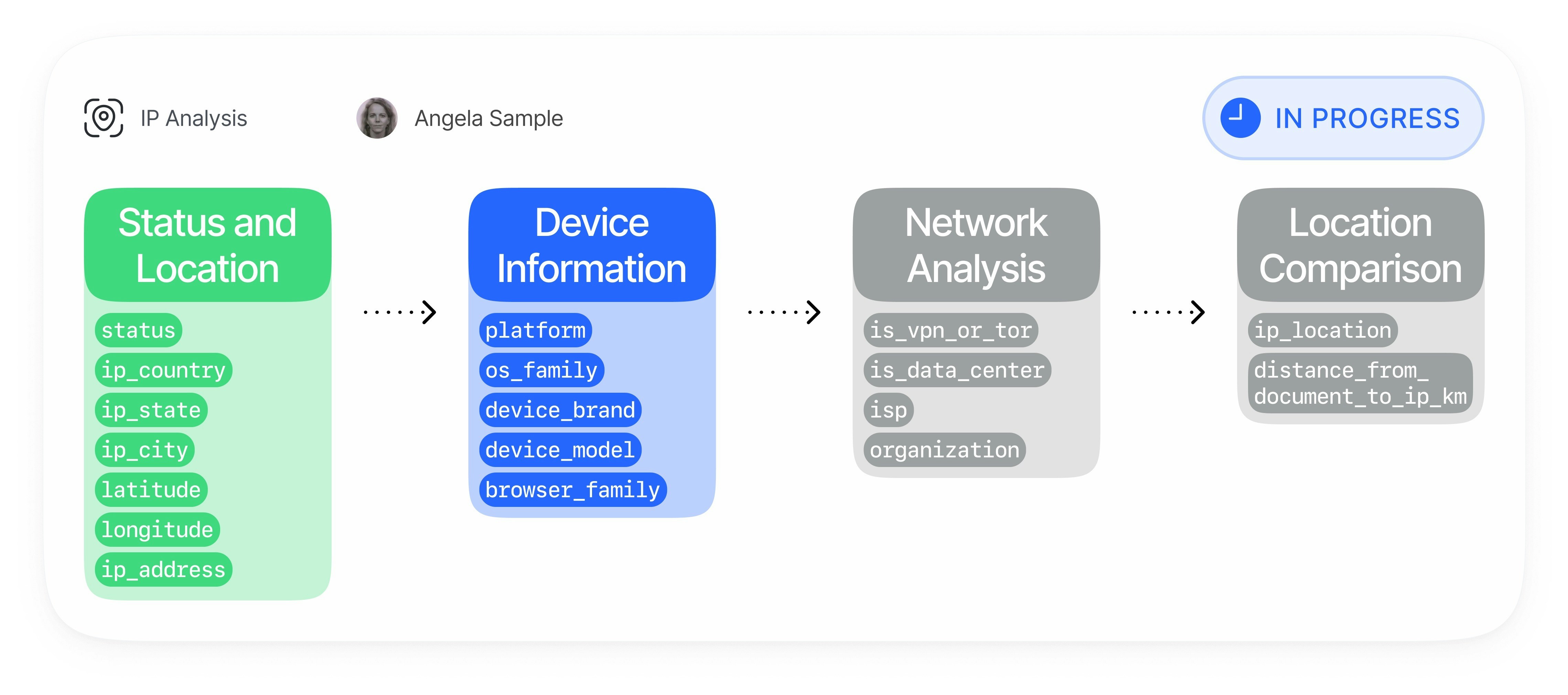
Device & IP Analysis runs automatically during the verification session and links the device, network, and identity context into one risk surface.
The verification client sends a privacy-safe v2 fingerprint payload with web or mobile device signals:
| Data Point | Description |
| ------------------------ | ---------------------------------------------------------------------------------------------------------------- |
| **Persistent device ID** | First-party identifier used for exact same-device detection when storage persists. |
| **Composite hash** | Stable grouped signal hash used for deterministic duplicate checks with collision safeguards. |
| **Signal vector** | Device and browser/app attributes vectorized for high-confidence recovery. |
| **Platform context** | Browser, OS, app, hardware, WebGL/canvas, media, locale, timezone, and mobile integrity signals where available. |
Didit enriches the observed connection data with network risk information:
* IP geolocation by country, region, city, and coordinates
* VPN, proxy, Tor, data center, and private-network detection
* Expected IP checks when you provide an allowed IP for the session
* IP blocklist checks configured in your application
Didit checks whether the current session matches previous sessions from another `vendor_data`:
| Check | Purpose |
| --------------------------------- | --------------------------------------------------------------------------------- |
| **Duplicated IP** | Detects the same IP address across different users. |
| **Duplicated device fingerprint** | Detects exact reuse of the same persistent device identity. |
| **Recovered device** | Detects a high-confidence v2 fingerprint recovery when the persistent ID changed. |
| **Collision guard** | Suppresses low-quality pooled hashes instead of merging unrelated devices. |
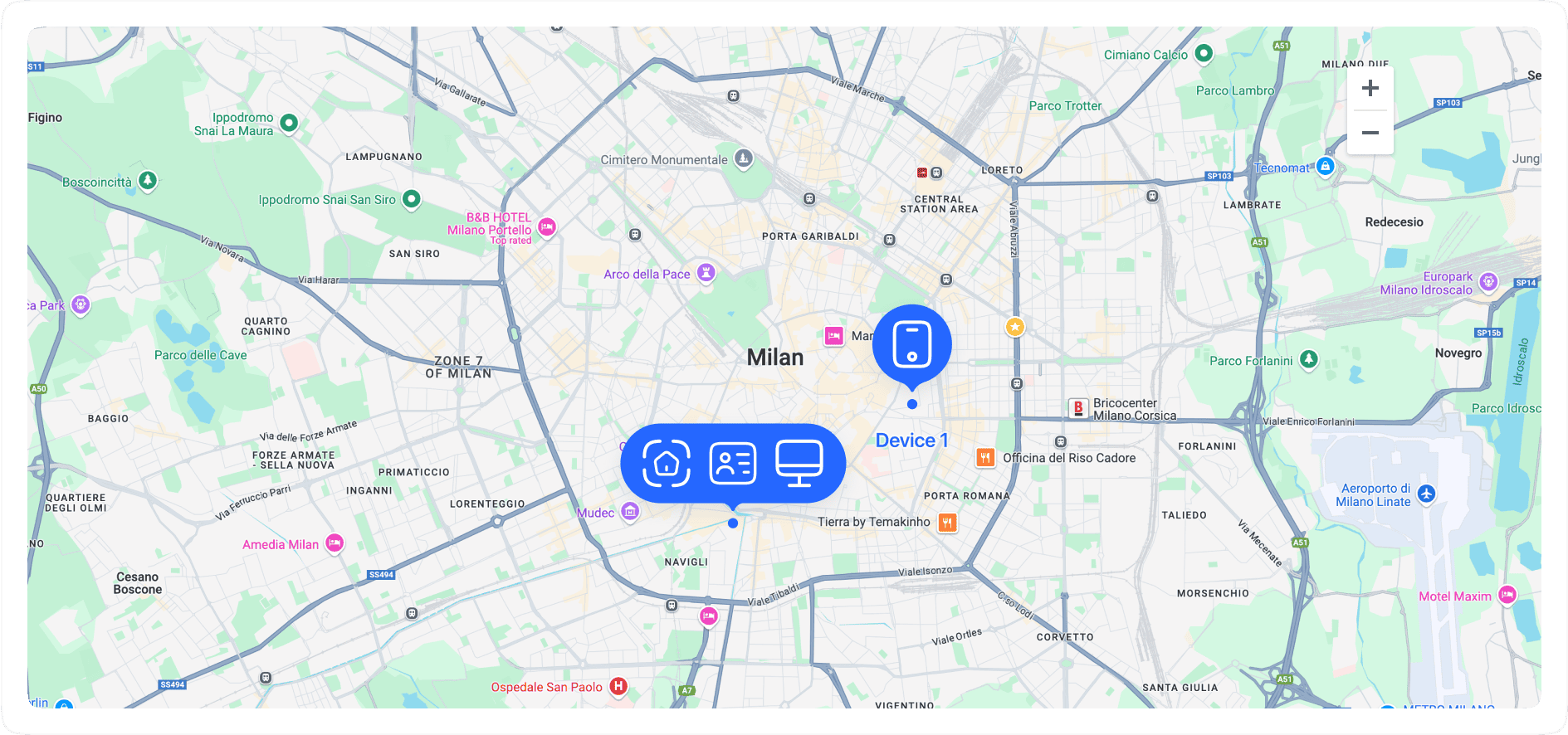
Device & IP Analysis compares location context against trusted reference points:
* Document country and address coordinates
* Expected session IP address
* IP country and city
* Distance and direction between address and IP location
You can configure each risk category independently and consume the result in every Didit output:
| Channel | Description |
| --------------------- | ------------------------------------------------------------------------------------------------------------------------- |
| **Workflow actions** | Approve, review, or decline for VPN/proxy, location mismatch, duplicate IP, exact duplicate device, and recovered device. |
| **Dashboard** | Review warnings, matching sessions, device information, and network details in the Didit console. |
| **Webhooks and APIs** | Receive structured warnings and matches in decision payloads. |
| **Reports** | Export Device & IP Analysis details in verification PDFs. |
## Matching Model
Device & IP Analysis separates exact matches from recovered matches so you can tune fraud response safely:
| Layer | What it detects | False-positive posture |
| ----------------------- | ------------------------------------------------------------------------------------------------ | ---------------------------------------------------------------------------------------------------------- |
| **Exact persistent ID** | The same first-party device identity appears in another user's session. | Strongest signal. Used for `DUPLICATED_DEVICE_FINGERPRINT`. |
| **Composite hash** | The same deterministic device hash appears in another user's session. | Guarded by collision detection so common WebView/browser pools are suppressed. |
| **v2 recovered device** | The persistent ID changed, but rich device signals match a previous device with high confidence. | Conservative. Used for `DEVICE_RECOVERED_HIGH_CONFIDENCE` only after hard gates pass. |
| **IP reuse** | The same IP address appears across users. | Contextual. Useful for fraud rings, but shared offices, households, and mobile carriers can be legitimate. |
Recovered-device matching uses a dedicated vector recovery index. If that index is not available, Didit continues exact duplicate checks and does not emit fuzzy recovery candidates.
## Fraud Patterns Detected
Device & IP Analysis helps identify and reduce:
* Multi-accounting and duplicate-account creation
* KYC bypass attempts using the same device across different identities
* Fraud rings coordinating many accounts from shared devices or infrastructure
* Bonus abuse, referral abuse, promo abuse, and free-trial abuse
* Synthetic identity onboarding from repeated devices
* Money mule onboarding patterns
* Account takeover risk from unfamiliar or high-risk devices
* Credential stuffing and automated signup attempts
* Card testing, chargeback abuse, and refund abuse supported by repeated device/network patterns
* VPN, proxy, Tor, data center, and residential proxy evasion
* Device tampering, emulator usage, jailbreak/root risk, and app cloning where mobile signals are available
* Location spoofing and mismatches between document, IP, timezone, carrier, and device context
* Bot-driven verification attempts using headless browsers or scripted clients
## Key Capabilities
#### Device fingerprinting and recovery
* **Exact duplicate-device detection**: Detect the same device identity across sessions from different `vendor_data` values.
* **High-confidence recovery**: Recover likely same-device relationships when storage changes or incognito/private browsing changes the persistent ID.
* **Collision protection**: Avoid merging unrelated users when a device hash looks too common across many distinct persistent IDs.
* **Mobile and web coverage**: Use web browser signals and native mobile signals, including integrity-related fields when available.
#### IP and network intelligence
* **VPN and proxy detection**: Identify masked or anonymized connections.
* **Tor and data-center detection**: Flag high-risk infrastructure.
* **IP blocklists**: Automatically decline when the IP appears in your application blocklist.
* **Expected IP enforcement**: Compare the observed IP to an expected IP supplied during session creation.
#### Geolocation and document comparison
* **Country mismatch detection**: Compare document country and IP country.
* **Address distance checks**: Compare document address coordinates and IP geolocation.
* **Session match context**: Return matching sessions with device and location details for staff review.
## Configure Actions
Use workflow settings to choose the action for each risk. Conservative customers often set `recovered_device_action` to `REVIEW` first, inspect recovered-device warnings for a few weeks, and only move to `DECLINE` after confirming the local false-positive profile.
| Setting | Recommended starting action | Why |
| -------------------------- | --------------------------- | --------------------------------------------------------------------------------------------------------- |
| `vpn_detection_action` | `REVIEW` or `DECLINE` | Depends on whether VPN usage is allowed in your product. |
| `ip_mismatch_action` | `REVIEW` | Location mismatch is strong context but can be legitimate. |
| `duplicated_ip_action` | `REVIEW` | Shared networks can create false positives. |
| `duplicated_device_action` | `REVIEW` or `DECLINE` | Exact same-device reuse across users is a strong fraud signal. |
| `recovered_device_action` | `REVIEW` | High-confidence recovery is intentionally conservative, but should be monitored before automatic decline. |
See [Device & IP Analysis warnings](/core-technology/ip-analysis/warnings-ip-analysis) for all risk tags and [Workflow Feature Configs](/management-api/workflows/feature-configs#device--ip-analysis) for API fields.
 ## How it works
Device & IP Analysis runs automatically during the verification session and links the device, network, and identity context into one risk surface.
## How it works
Device & IP Analysis runs automatically during the verification session and links the device, network, and identity context into one risk surface.