

 Get Started
 Integrate / SDKs
 User Verification
 Business Verification
 Transaction Monitoring
 Changelog
portrait_image you supplied, or the user’s stored face looked up by vendor_data). Both checks appear as standard feature items in the V3 session decision response.
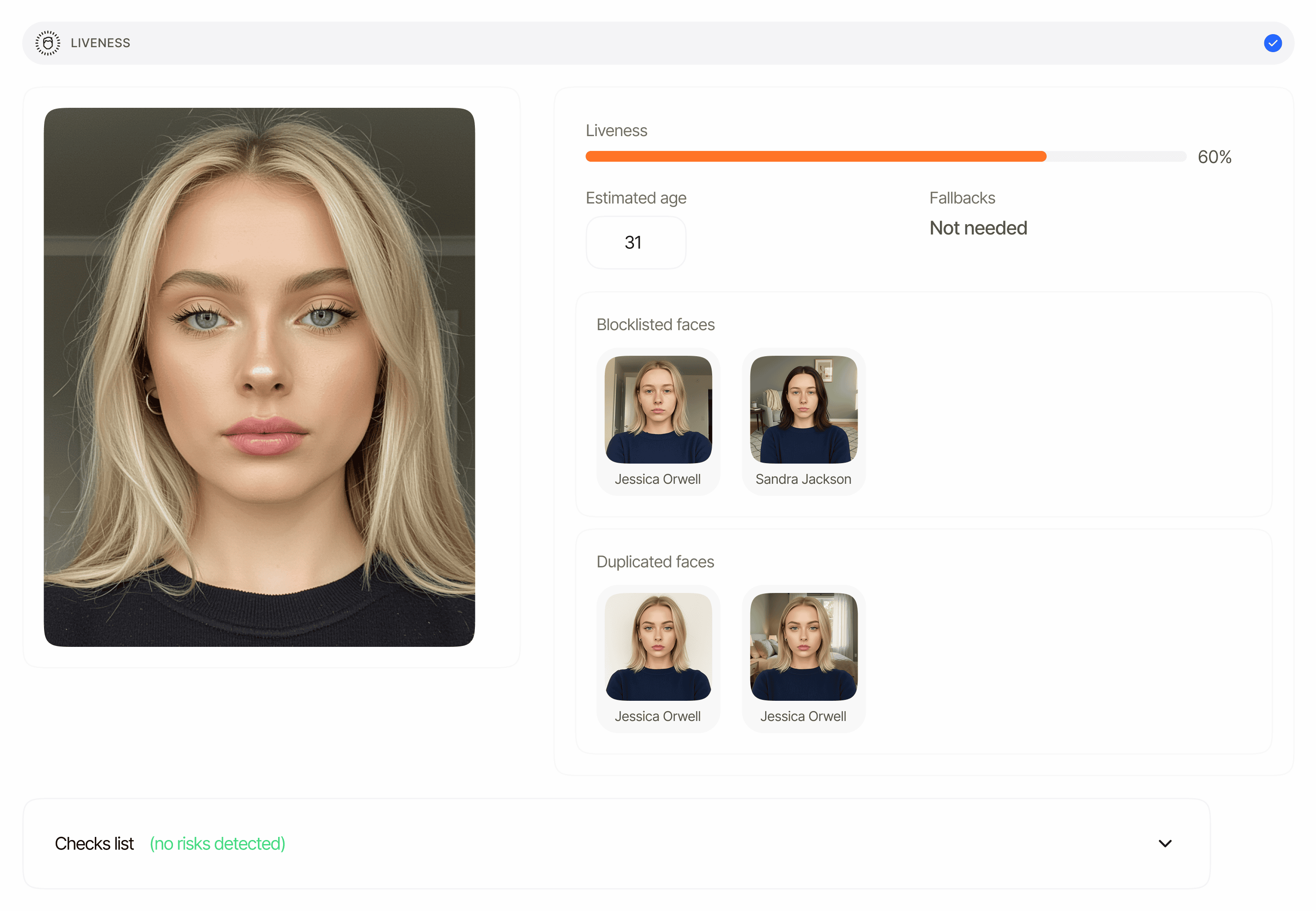
Overview
Biometric Authentication is a workflow type (workflow_type: "biometric_authentication"), not a separate response object. When the workflow runs it emits:
- One liveness check that captures a live selfie and scores it for spoofing.
- One face match comparing the captured face against the reference face resolved at session creation (only when Face Match is enabled in the workflow).
portrait_image (base64-encoded image, max 2MB), or omit it and Didit reuses the face already stored for the vendor_data user: an approved liveness face first, then the ePassport chip photo, then the ID document portrait, then a manually enrolled profile face. If neither portrait_image nor a stored face is available, session creation returns 400 with {"portrait_image": "No stored face image was found for this user. Send a portrait_image, or complete an approved verification with face liveness or an ID document for this vendor_data first."}. In both cases the resolved reference is recorded under the new session, so the face-match item’s source_image_session_id is set to that session’s own session_id (it tells you the reference came from the session’s stored portrait rather than from a document portrait captured in the same session, which would leave the field null).
Where it appears
Both arrays are returned by
GET /v3/session/{sessionId}/decision/ for sessions whose workflow type is biometric_authentication. They are always arrays — never singular objects — and each is null until its step has produced data. Each item carries a node_id so that multi-instance workflows can disambiguate steps.
Schema reference
The full field list is defined once on the data-models page so every report that surfaces these features shares one source of truth:- Liveness item schema —
status,method,score,reference_image,video_url,age_estimation,matches[],face_quality,face_luminance,warnings[],node_id. - Face match item schema —
status,score,source_image_session_id,source_image,target_image,warnings[],node_id. - Warning entry shape —
feature,risk,additional_data,log_type,short_description,long_description,node_id.
Status values
Bothliveness_checks[].status and face_matches[].status use the shared feature lifecycle (feature-level statuses):
The overall session
status aggregates both items: any feature in Declined declines the session, any in In Review puts the session in In Review, otherwise Approved (after every feature finishes).
For threshold behavior and the full list of warning codes, see Biometric Authentication warnings.
Example — liveness + face match (approved)
Examples are abridged: the full decision envelope also carriessession_url, metadata, callback, reviews, contact_details, expected_details, environment, created_at, and expires_at.
Example — liveness-only (Face Match disabled in the workflow)
face_matches stays null. When Face Match is enabled, omitting portrait_image does not fall back to liveness-only: Didit reuses the face stored for the vendor_data user, and if no stored face exists session creation fails with 400.
Example — face-match declined on low similarity
Security note
reference_image, video_url, source_image, and target_image are signed URLs that expire after a limited validity window (4 hours by default). They point at biometric data — do not cache or surface them publicly. Store the verification result (status, score, source_image_session_id) on your side; re-fetch the decision endpoint if you need fresh URLs.
Related
Biometric Auth warnings
Warning codes, thresholds, and automatic decline conditions.
Liveness report
Full field reference for
liveness_checks[] items.Face Match report
Full field reference for
face_matches[] items.