

 Get Started
 Integrate / SDKs
 User Verification
 Business Verification
 Transaction Monitoring
 Changelog
Overview
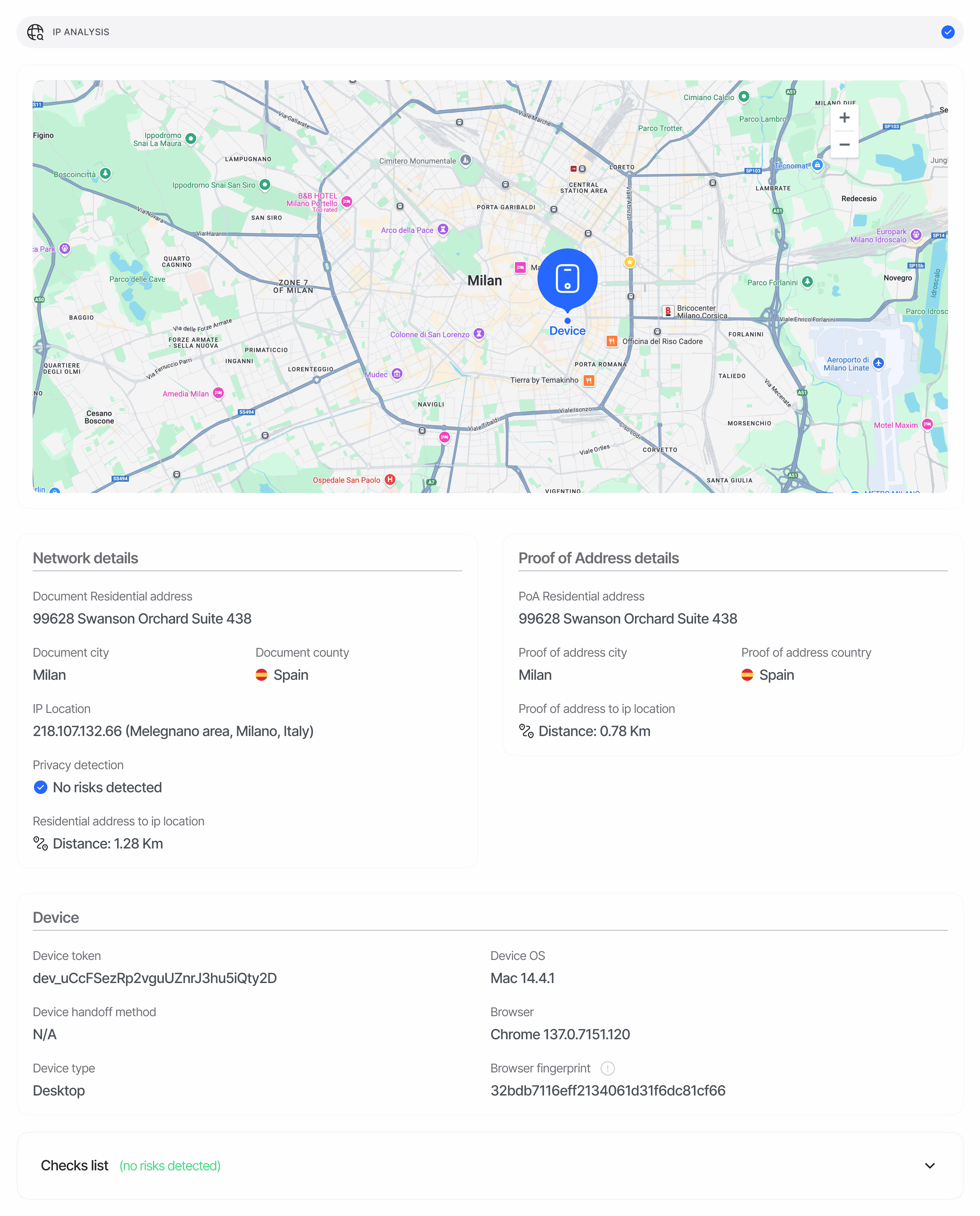
Device & IP analysis profiles every session by IP geolocation, device fingerprint, browser/OS, and network type. Geolocation, network-risk enrichment, device matching, and remote device integrity checks run asynchronously while the user completes verification. Device and IP observations remain available while analysis is pending; geolocation fields can be empty until results arrive, or when the address is not public. If your workflow uses these checks to determine the outcome or choose a subsequent step, the session remainsIn Progress until the required results are available.
If required analysis remains unavailable after bounded retries, the session moves to In Review for a manual decision.
Optional enrichment failures do not prevent completion, and manual decisions remain authoritative.
It produces:
- An IP geolocation block (country, state, city, latitude/longitude, time zone) derived from the public IP.
- Network-risk flags —
is_vpn_or_torandis_data_center— to detect masking attempts (VPN, Tor exit nodes, hosting providers, anonymisers). - Cross-document distance calculations — straight-line km between the IP location, the ID document’s location, and the proof-of-address document’s location.
- Cross-session matches — when the same IP address or device identity appears across sessions belonging to different users (grouped by
vendor_data). - Device fingerprint recovery — a high-confidence recovery signal that links sessions even after the user clears storage, switches incognito modes, or reinstalls the app.
Where it appears in API responses
The decision endpoint returns Device & IP analysis as the plural arrayip_analyses[] in GET /v3/session/{sessionId}/decision/. Entries are deduplicated Location observations keyed on (node_id, ip_address, device_fingerprint) — a single node can yield multiple entries when the user’s IP or device changes mid-session.
Schema
See Device & IP analysis in the Data Models reference for the canonical schema.Match semantics
match_source tells you how the match was reached, and confidence scores how likely it is to be wrong (confidence = 1 - P(false positive)):
Lower-confidence recovery candidates surface as risk warnings only — never in
matches[]. IP matches and device matches are capped at 5 each, so the array holds at most 10 entries.
Status values
Statuses are feature-levelFeatureStatusChoices values. Each fired warning maps to the action configured for it on the workflow node; the strongest action wins.
Custom status rules configured on the IP analysis node can further adjust the resulting status.
VPN, proxy, and Tor detection
is_vpn_or_tor and is_data_center are independent boolean flags returned for every session. When is_vpn_or_tor is true, Didit also emits the PRIVATE_NETWORK_DETECTED warning so your team can act on it via workflow configuration. Datacenter-only traffic (without VPN/Tor) sets is_data_center=true but does not auto-warn — use this as an additional signal in your own scoring.
Examples
Approved
Declined — IP blocklist hit + VPN + duplicate device
Related
- Device & IP analysis warnings — every warning code IP analysis can emit
- Device & IP analysis overview — what each block measures
- Data models — IP analysis — canonical schema
- Webhooks —
status.updatedcarries the same IP analysis payload