

 Get Started
 Integrate / SDKs
 User Verification
 Business Verification
 Transaction Monitoring
 Changelog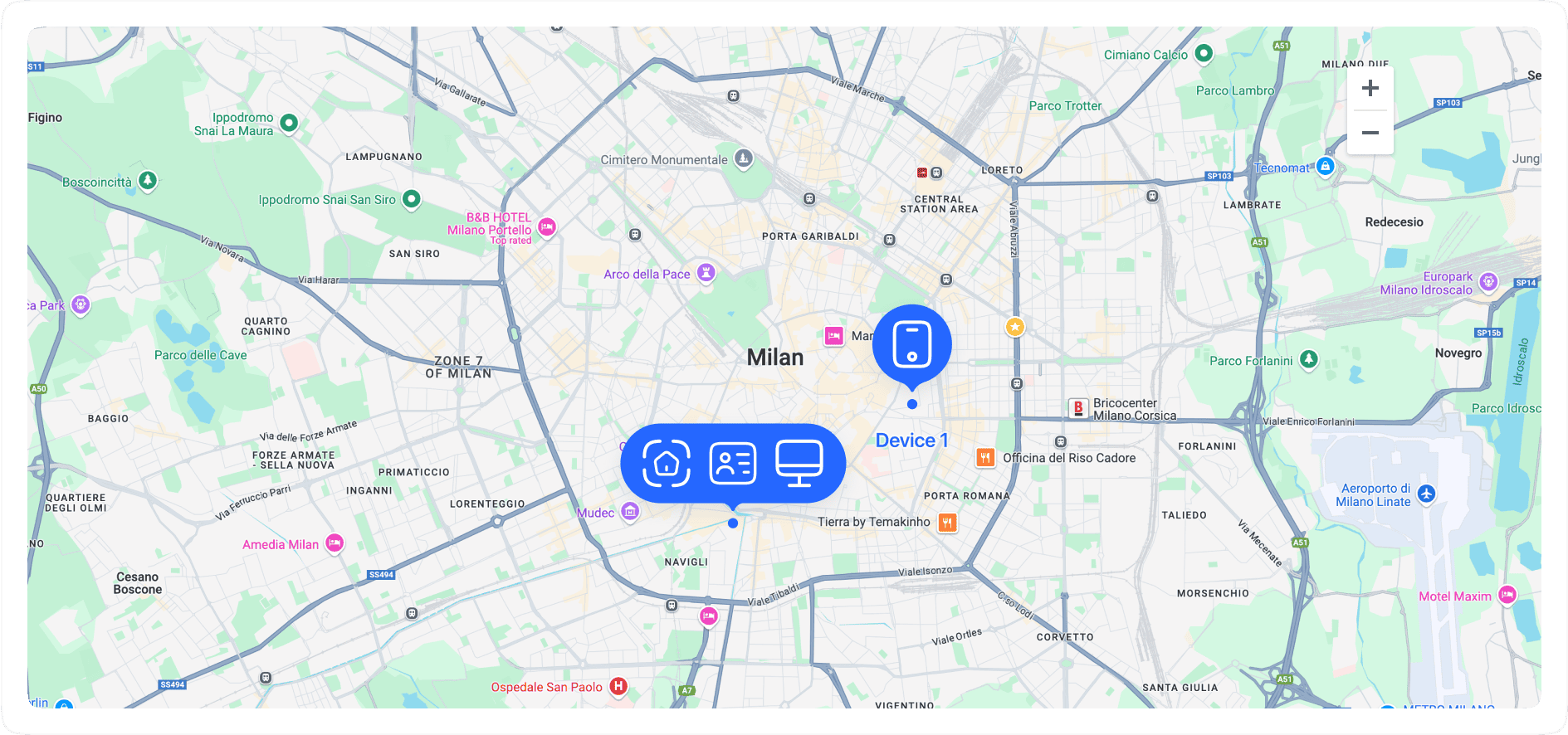
How it works
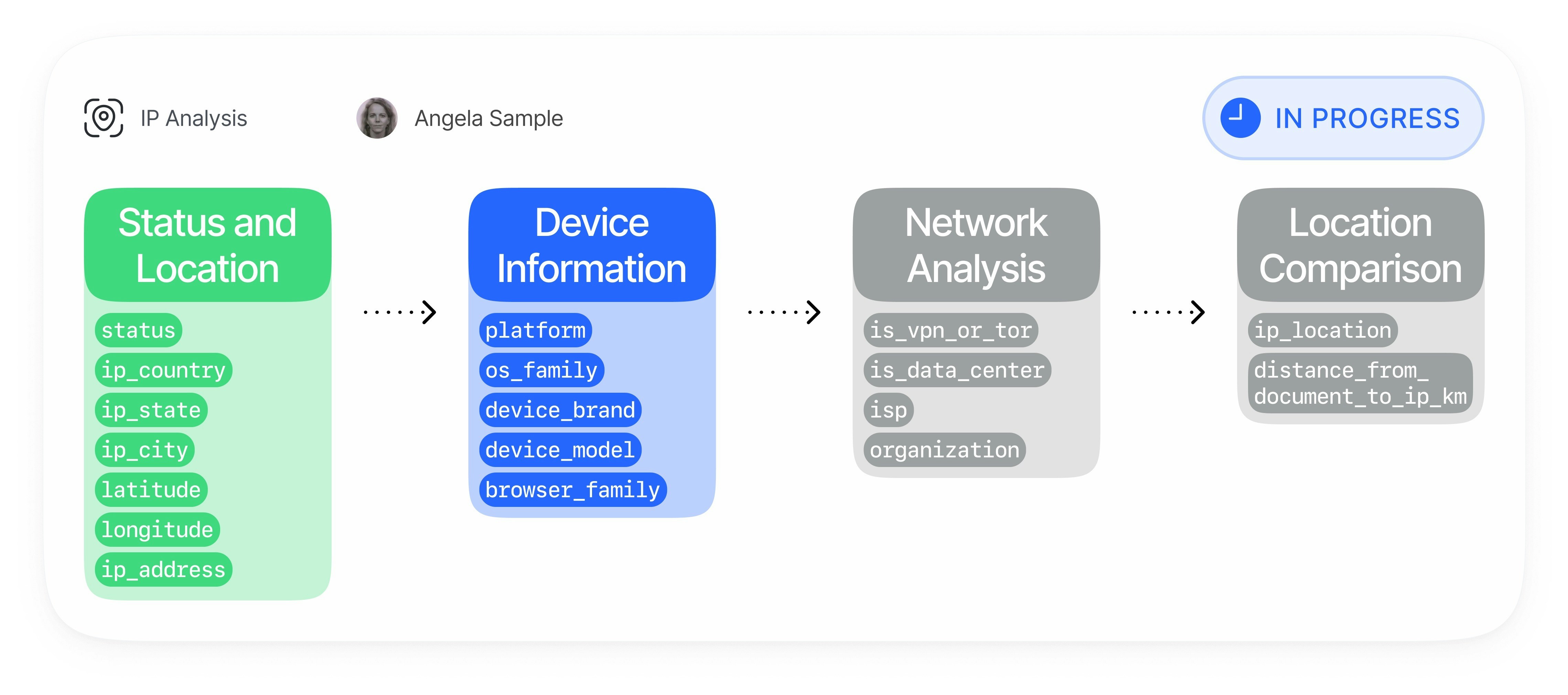
Device & IP Analysis runs automatically during the verification session and links the device, network, and identity context into one risk surface.Device fingerprint capture
The verification client sends a privacy-safe v2 fingerprint payload with web or mobile device signals:
IP and connection analysis
Didit enriches the observed connection data with network risk information:
- IP geolocation by country, region, city, and coordinates
- VPN, proxy, Tor, data center, and private-network detection
- Expected IP checks when you provide an allowed IP for the session
- IP blocklist checks configured in your application
Duplicate and recovery matching
Didit checks whether the current session matches previous sessions from another
vendor_data:Location cross-checks
Device & IP Analysis compares location context against trusted reference points:
- Document country and address coordinates
- Expected session IP address
- IP country and city
- Distance and direction between address and IP location
Action and reporting
You can configure each risk category independently and consume the result in every Didit output:
Matching Model
Device & IP Analysis separates exact matches from recovered matches so you can tune fraud response safely:
Recovered-device matching uses a dedicated vector recovery index. If that index is not available, Didit continues exact duplicate checks and does not emit fuzzy recovery candidates.
In Networks, Didit also highlights residential proxy reuse when the same non-datacenter IP intelligence appears across multiple distinct users or businesses. The graph shows the aggregate risk signal, subject count, connection type, ISP and ASN context; it does not expose the raw IP address or another organization’s profile data.
Fraud Patterns Detected
Device & IP Analysis helps identify and reduce:- Multi-accounting and duplicate-account creation
- KYC bypass attempts using the same device across different identities
- Fraud rings coordinating many accounts from shared devices or infrastructure
- Bonus abuse, referral abuse, promo abuse, and free-trial abuse
- Synthetic identity onboarding from repeated devices
- Money mule onboarding patterns
- Account takeover risk from unfamiliar or high-risk devices
- Credential stuffing and automated signup attempts
- Card testing, chargeback abuse, and refund abuse supported by repeated device/network patterns
- VPN, proxy, Tor, data center, and residential proxy evasion
- Device tampering, emulator usage, jailbreak/root risk, and app cloning where mobile signals are available
- Location spoofing and mismatches between document, IP, timezone, carrier, and device context
- Bot-driven verification attempts using headless browsers or scripted clients
Key Capabilities
Device fingerprinting and recovery
- Exact duplicate-device detection: Detect the same device identity across sessions from different
vendor_datavalues. - High-confidence recovery: Recover likely same-device relationships when storage changes or incognito/private browsing changes the persistent ID.
- Collision protection: Avoid merging unrelated users when a device hash looks too common across many distinct persistent IDs.
- Mobile and web coverage: Use web browser signals and native mobile signals, including integrity-related fields when available.
IP and network intelligence
- VPN and proxy detection: Identify masked or anonymized connections.
- Tor and data-center detection: Flag high-risk infrastructure.
- Residential proxy reuse: Detect repeated use of the same residential-looking network across distinct subjects without exposing the raw IP value in the Networks graph.
- IP blocklists: Automatically decline when the IP appears in your application blocklist.
- Expected IP enforcement: Compare the observed IP to an expected IP supplied during session creation.
Geolocation and document comparison
- Country mismatch detection: Compare document country and IP country.
- Geofencing: Only accept sessions from allowed countries — with per-state/region overrides for countries like the United States — based on the IP geolocation.
- Address distance checks: Compare document address coordinates and IP geolocation.
- Session match context: Return matching sessions with device and location details for staff review.
Configure Actions
Use workflow settings to choose the action for each risk. Conservative customers often setrecovered_device_action to REVIEW first, inspect recovered-device warnings for a few weeks, and only move to DECLINE after confirming the local false-positive profile.
See Device & IP Analysis warnings for all risk tags and Workflow Feature Configs for API fields.