

 Get Started
 Integrate / SDKs
 User Verification
 Business Verification
 Transaction Monitoring
 Changelog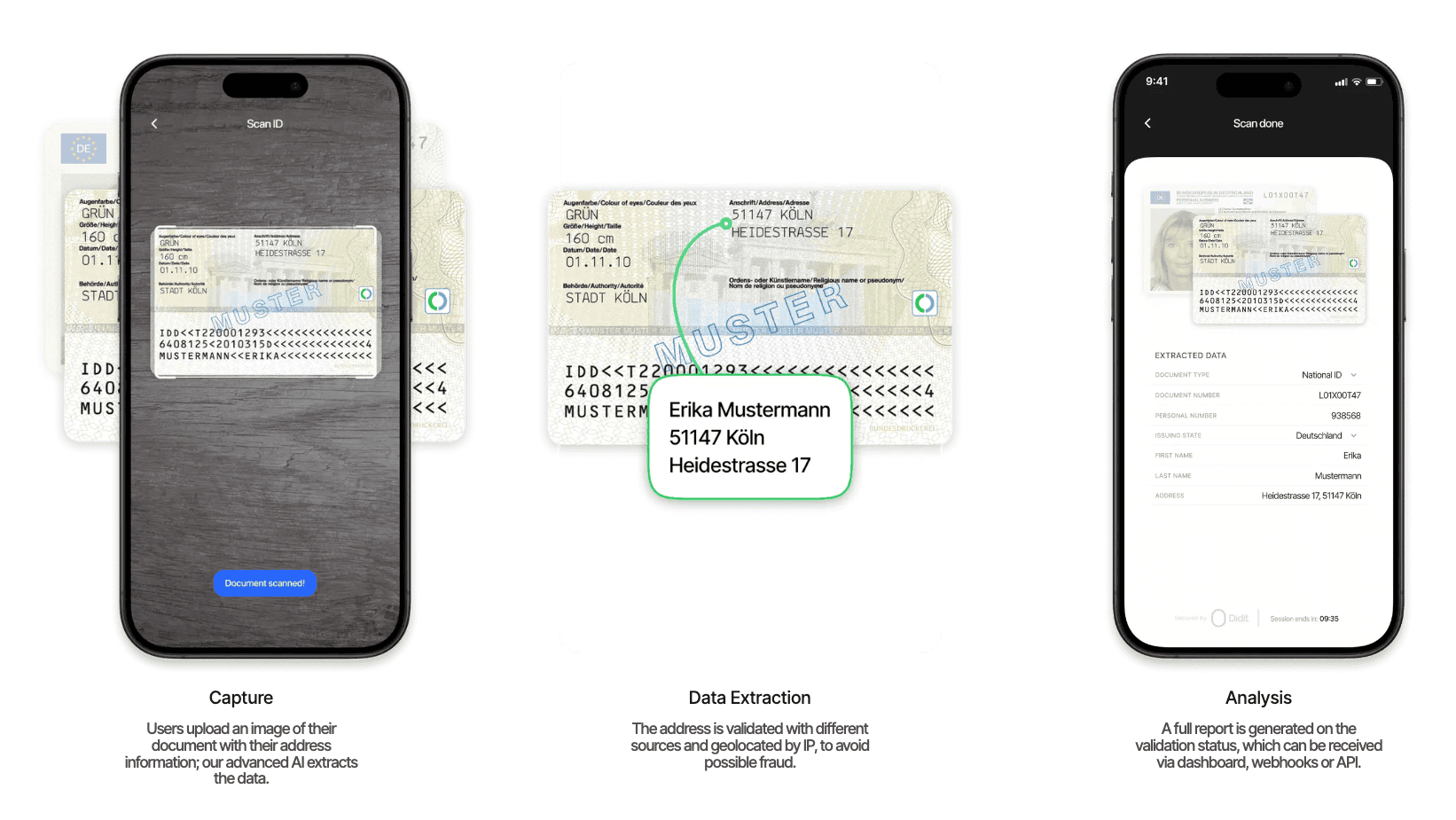
Capture
Users upload an image of their document containing address information. Our advanced AI handles the rest.
Data Extraction
The extracted address is validated against multiple sources and geolocated by IP.
Analysis
A full report is generated on the validation status with standardized outputs.
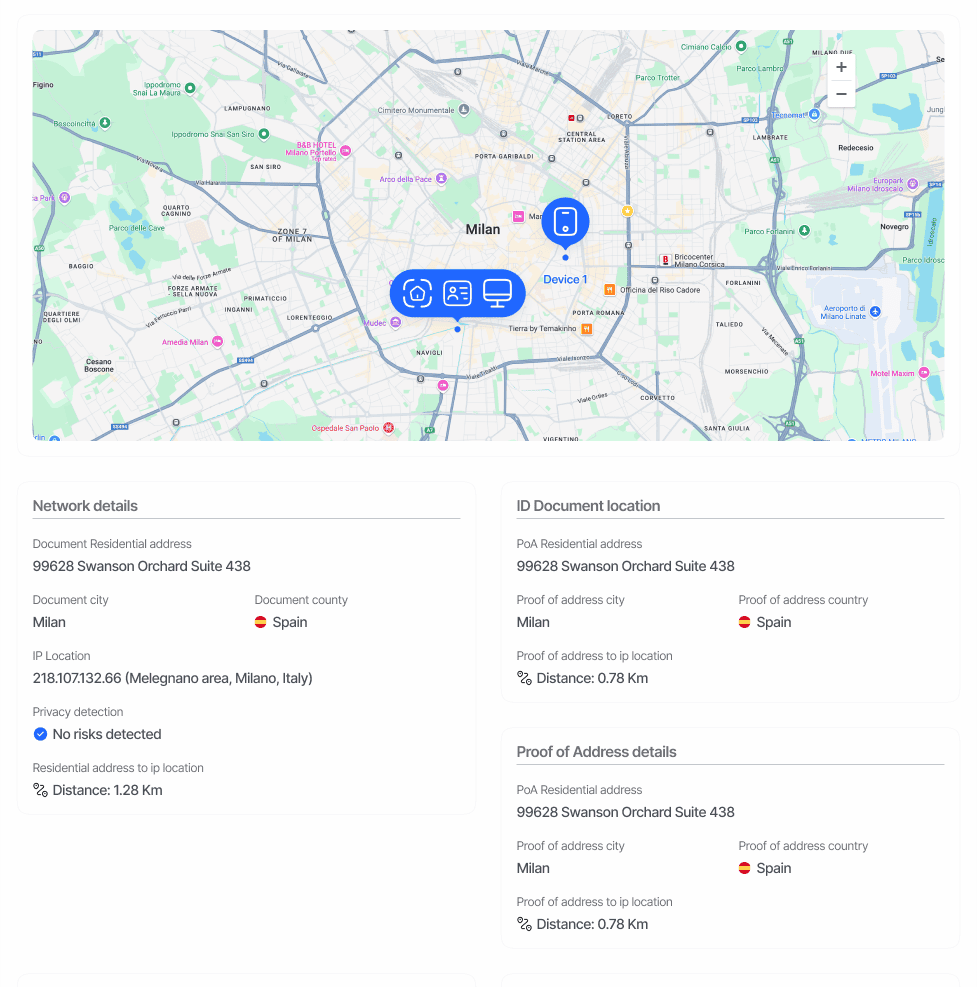
Our system supports global address formats and provides standardized outputs regardless of the input document type or region.
Report Structure
The Document Geolocation report returns a JSON object with a root-leveladdress field containing all verification results.
Core Response Fields
Response Fields
Address Information
address: Complete address as extracted from documentparsed_address.street_1: Primary street informationparsed_address.street_2: Secondary street informationparsed_address.city: City nameparsed_address.region: State or regionparsed_address.postal_code: ZIP or postal code
Geolocation Data
raw_results.geometry.location: Precise coordinatesraw_results.location_type: Accuracy level of geolocationraw_results.viewport: Coordinate boundariesraw_results.formatted_address: Standardized address format
Sample JSON Response
For a complete list of possible properties and their values, please refer to our API Reference.