

 Get Started
 Integrate / SDKs
 User Verification
 Business Verification
 Transaction Monitoring
 Changelog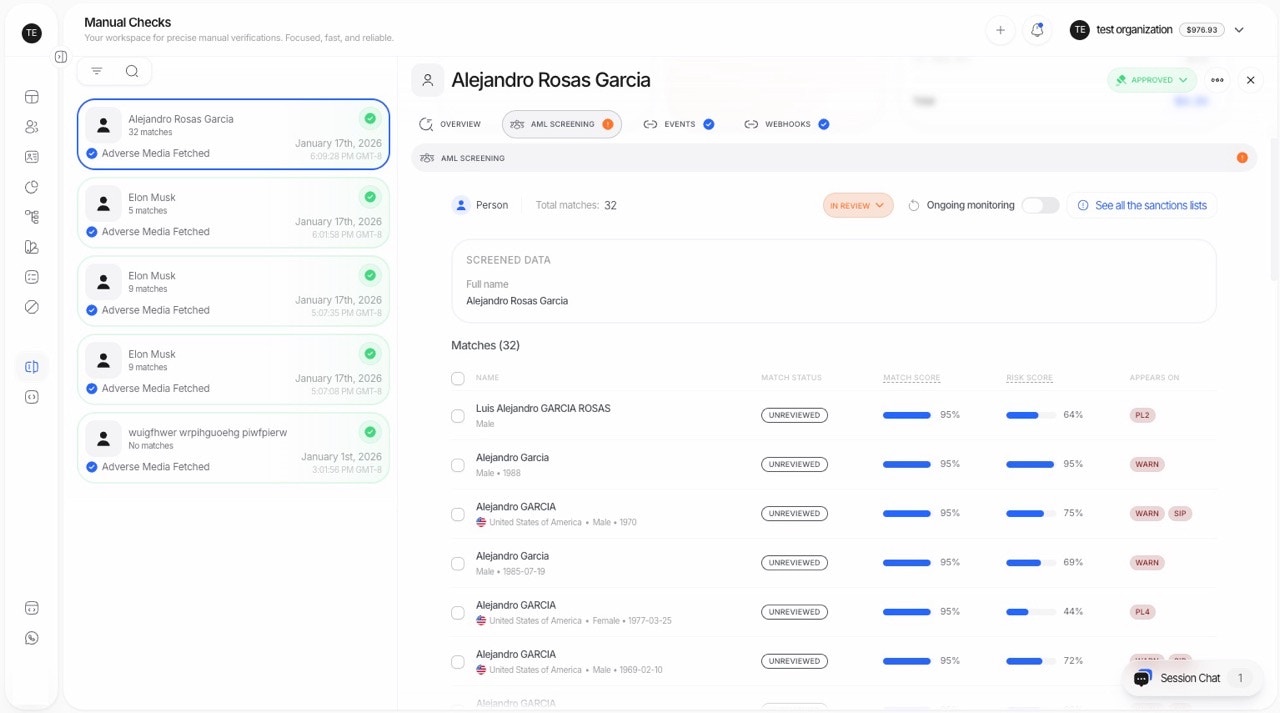
Key Concepts: Match Score vs Risk Score
Didit uses a two-score system for AML screening:Match Score (Identity Confidence)
- Question: Is this match the same person we’re screening?
- Factors: Name similarity, Date of Birth, Country/Nationality, Document Number
- Purpose: Classifies match as False Positive or Unreviewed (Possible Match)
- Threshold: Match Score Threshold (default: 93)
Risk Score (Entity Risk Level)
- Question: How risky is this entity if it’s a true match?
- Factors: Country risk, Category (PEP/Sanctions/etc.), Criminal records
- Purpose: Determines the final AML status (Approved/In Review/Declined)
- Thresholds: Approve Threshold (default: 80) and Review Threshold (default: 100)
Match Review Statuses
Each AML match is assigned a review status based on its match score:Tip: You can change a match review status in the Console by viewing the AML overview or clicking on a specific match to see its details.
Key Features
1. Comprehensive Data Extraction
- Accurate Extraction: Extract data from user-provided information or identity documents using advanced OCR technology.
- Fuzzy Logic: Account for name variations and misspellings to ensure comprehensive data capture.
2. Extensive Watchlist Coverage
Screen against multiple categories including:- Sanctions Lists: From government and international bodies.
- Politically Exposed Persons (PEPs): Individuals with prominent public functions.
- Criminal Records: Including global and local criminal databases.
- Adverse Media Mentions: News articles and reports on financial crimes and other risks.
- Custom Watchlists: Configurable based on specific client requirements.
3. Advanced Matching Algorithms
- Fuzzy Matching: Catch slight variations in names or details to ensure accurate matching.
- Multiple Data Points: Utilize name, date of birth, nationality, and other identifiers for thorough screening.
- Golden Key Logic: Document number matching that can override scores for definitive identification.
4. Two-Score Risk Assessment
Each match receives TWO scores:
Match Review Status (based on Match Score):
- False Positive: Match score below threshold - likely NOT the same person
- Unreviewed: Match score at or above threshold - requires review
- Approved: All unreviewed matches have low risk scores
- In Review: At least one unreviewed match has medium-high risk score
- Declined: At least one unreviewed match has very high risk score
5. Detailed Adverse Media Screening
Screen against a wide range of adverse media categories, including:- Financial Crimes: Money laundering, embezzlement, and more.
- Violent Crimes: Assault, murder, and related offenses.
- Terrorism: Involvement in or support for terrorist activities.
- Narcotics: Drug trafficking and related crimes.
- Fraud: Various types of fraud and deceptive practices.
- Regulatory Violations: Breaches of regulatory compliance requirements.
6. Customizable Screening Parameters
- Adjustable Sensitivity: Configure the screening sensitivity based on your organization’s risk appetite.
- Customizable Watchlists: Select which watchlists and categories to include in the screening process to meet specific requirements.
Configurable Thresholds
You can customize security levels by setting different thresholds: Match Score Configuration:
Risk Score Thresholds (Final Status):
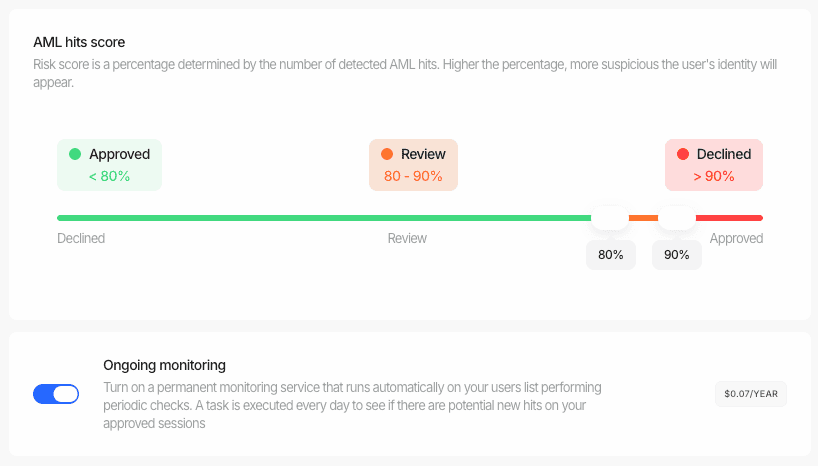
These thresholds can be adjusted based on your risk tolerance and security requirements.
How It Works
Our AML Screening process efficiently identifies potential risks while minimizing delays for legitimate users.Data Extraction
The system extracts relevant information from either user-provided data or uploaded identity documents.
Watchlist Screening
The extracted data is cross-checked against 1,300+ global watchlists and databases in real time:
- Sanctions Lists — Government and international bodies (OFAC, EU, UN, etc.)
- Politically Exposed Persons (PEPs) — Individuals with prominent public functions
- Criminal Records — Global and local criminal databases
- Adverse Media — News articles and reports on financial crimes
- Custom Watchlists — Configurable based on your requirements
Match Score Calculation
For each potential match, the system calculates an identity confidence score — how likely it is the same person.
- Match Score below threshold (default: 93) → classified as False Positive
- Match Score at or above threshold → classified as Unreviewed (possible match)
- Golden Key: Document number match can override to 100% for definitive identification
Risk Score Calculation
For non-false-positive matches, the system calculates the entity’s risk level:
Final Status Determination
Based on the highest risk score among all non-false-positive matches:
If all matches are false positives, the result is Approved (no credible matches found).
Result Generation
A detailed report is generated with full transparency:
- Each match’s match score and risk score with breakdowns
- Match classification (False Positive vs. Unreviewed vs. Confirmed)
- Source database and category details for every hit
- Results delivered via API response, webhook, or Business Console
- Automatic decisioning based on your configured risk score thresholds
AML Hit Data Reference
Each AML hit returned in the API response contains detailed information about the matched entity. Below are the key fields and their possible values.Dataset Categories
Thedatasets field on each hit indicates which compliance database categories the entity was found in. Possible values:
Sanction Matches
Thesanction_matches array contains details for each sanction list where the entity was found. Key fields:
Warning Matches
Thewarning_matches array contains details for matches from warning, regulatory enforcement, and related lists. The additional_data field may include a data.case_details array with structured case information.
Warning Case Types
Thecase_type field within additional_data.data.case_details[] describes the nature of the warning case. Known values: