

 Get Started
 Integrate / SDKs
 User Verification
 Business Verification
 Transaction Monitoring
 Changelog
Overview
AML screening cross-references the verified subject’s identity against global sanctions, PEP, watchlist, and adverse-media datasets. Each hit returns the matched entity, the dataset(s) that produced the match, two scores —match_score (identity confidence) and risk_score (entity risk) — and a structured breakdown by source (pep_matches[], sanction_matches[], warning_matches[], adverse_media_matches[]). The aggregate score is the highest risk_score among hits that are not marked False Positive.
The same shape is returned by AML screening on user (KYC) sessions, business (KYB) sessions, and the standalone AML API.
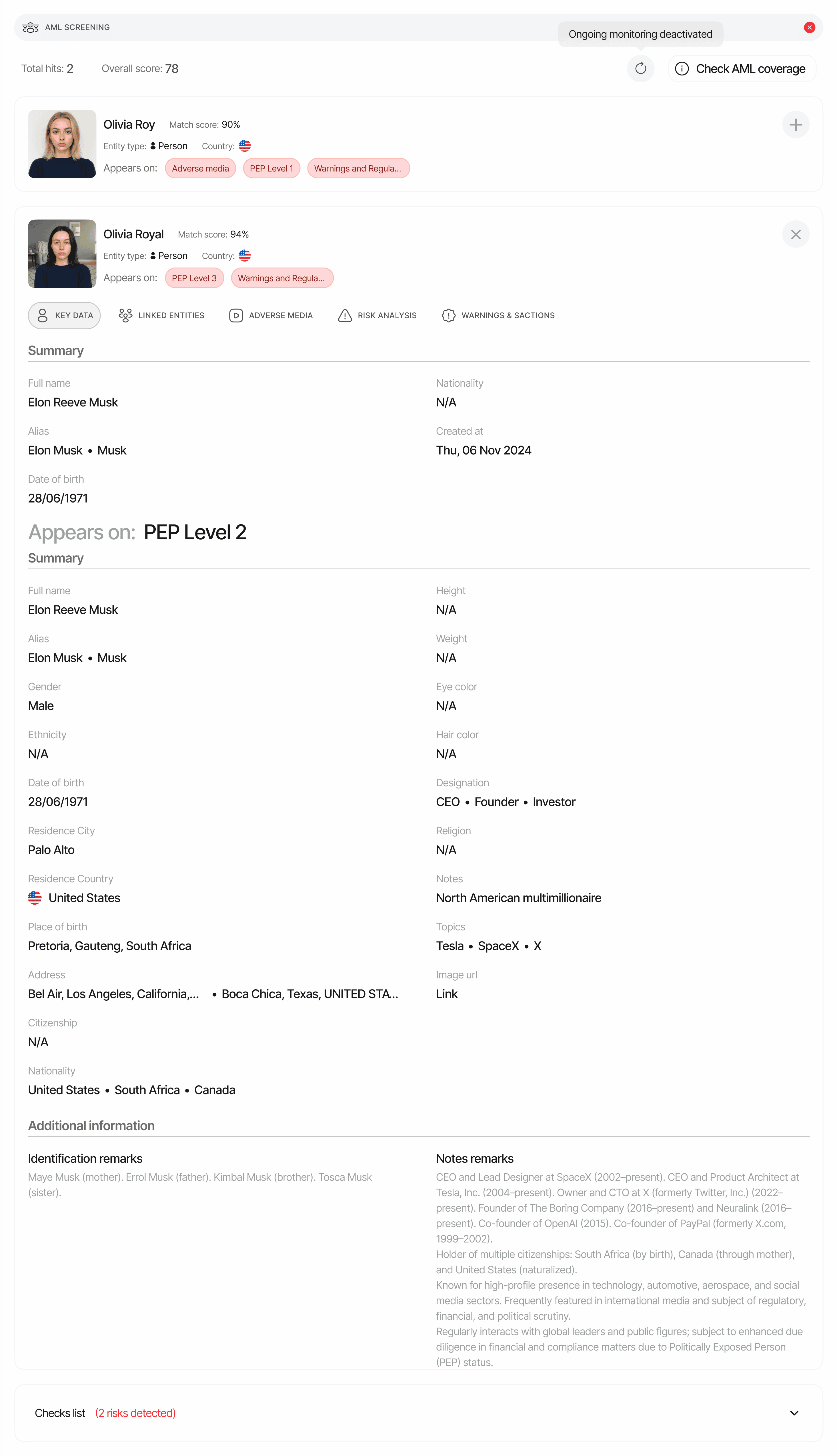
Where it appears in API responses
On the session decision endpoint, AML screening is returned as the plural arrayaml_screenings[]. Every entry corresponds to one AML execution in the workflow (an AML check that runs twice produces two entries with different node_id values).
Three scores, not one verdict
Thestatus is a verdict; the numbers it was derived from are in the same payload. Read them when you build your own risk tiering (for example combining AML risk with questionnaire answers such as source of wealth or PEP self-declaration) instead of branching only on Approved / In Review / Declined:
All three are present in every place the AML report is delivered:
GET /v3/session/{sessionId}/decision/, the decision object of status.updated and data.updated webhooks on every webhook version (V3 aml_screenings[], and the legacy V2 / V1 singular aml), and the standalone AML API. A consumer that sees only a flagged / clear label is reading status (or a hit’s review_status) and skipping the scores next to it. The console shows the same numbers: the AML section header carries the aggregate Risk score, and every row of the matches table carries Match score and Risk score with a breakdown on hover.
Schema
See AML Screening in the Data Models reference for the canonical schema. Top-level fields:Per-hit fields
Every entry inhits[] has the following fields (subset shown). Match-source arrays — pep_matches[], sanction_matches[], warning_matches[], adverse_media_matches[] — are populated only for the dataset(s) the hit belongs to.
Hits classified as
False Positive (because match_score fell below the match-score threshold, or because a reviewer marked them) remain in hits[] for auditability. They are excluded only from the aggregate score calculation.Ongoing monitoring
Whenis_ongoing_monitoring_enabled is true, Didit re-screens the subject continuously and re-emits the AML report any time a hit is added, removed, or changes. Re-screens that change the AML status fire a status.updated webhook; re-screens that only change hit data fire data.updated. The monitoring window runs from the last_aml_bill_date for 365 days; next_ongoing_monitoring_bill_date exposes when the next annual renewal hits.
Those signals are all change-driven, so a subject re-screened for months with no new hits produces none of them. last_ongoing_screening_at is the one field that moves on every completed run, and the screening-history endpoint lists each run individually — including the ones that changed nothing. See Continuous AML monitoring for the full lifecycle.
Status values
The thresholds are configurable per workflow node — see AML risk score. Custom status rules combine with the derived status using
Declined > In Review > Approved precedence; reviewers can also override the AML status from the console or the AML status endpoint.
Examples
Approved — no hits
In Review — PEP + adverse media hit
All names, URLs, and articles below are fictional.Related
- AML warnings — every warning code AML can emit
- AML risk score and AML match score — how the two scores are calculated
- Continuous AML monitoring — enabling and consuming monitoring events
- Watchlist database — datasets covered
- Data models — AML screening — canonical schema
- Webhooks —
status.updatedfires when AML changes the session status; hit review-status changes and monitoring data refreshes firedata.updated