

 Get Started
 Integrate / SDKs
 User Verification
 Business Verification
 Transaction Monitoring
 Authentication
 Changelog
act claim in the token.
Agent access is included on every plan, with no separate price.
How it works
- An AI agent asks to act for a person in your application, naming the scopes it needs.
- The person signs in on your application’s hosted approval screen, or on your own consent screen, and sees the agent’s name, whether it is verified, and what it asks for.
- The person can narrow the request (fewer scopes, a shorter session, only some of their organizations), then approves it, with a fresh passkey when your settings ask for one.
- The agent receives a single-use code and exchanges it for its own tokens. Its access tokens last at most 5 minutes, like a person’s.
- Every request the agent makes to your backend carries a token whose
actclaim names the agent and the scopes the person approved.
Turn it on and choose the rules
Agent access is off for a new application. Turn it on under Authentication > Agent access, then choose Edit settings:
People can turn any scope you offer off on the approval screen, never on.
Changes apply to new approvals: active agent sessions keep what the person approved.
Only people approve agent requests (
agent_humans_only) can be changed only by an Owner or Admin of your Didit organization, who needs a passkey on their own console account first.
It proves that the approving person used their own authenticator with user verification, within five minutes and tied to that request; it does not detect automation in general.
For your own consent screen, the calls are in agent approval with a passkey.
Add it to your app
Agents that support it send people to your approval screen on their own. Your app does two things: Let people see and revoke their agents. In React, render<ConnectedAgents /> on the account settings page: it lists the agents the person approved, each with a Revoke button.
See the React quickstart.
Check the act claim on your backend.
An agent’s access token is signed with the same key and carries the same typ, iss and aud as a person’s, so only act tells them apart:
sid in an agent’s token is the ID of the access the person granted, and GET /session/ always rejects an agent’s token.
See verify a token on your server for the checks in code.
Watch and revoke in the console
Authentication > Agent access shows:- At a glance: active agent sessions, sessions people approved in the last 7 days, people with an agent, and revocations this month, by people and by your team.
- Active agent sessions: each person, the agent with its description and whether it is verified, what it can do, its last activity and when it ends, with a Revoke button.
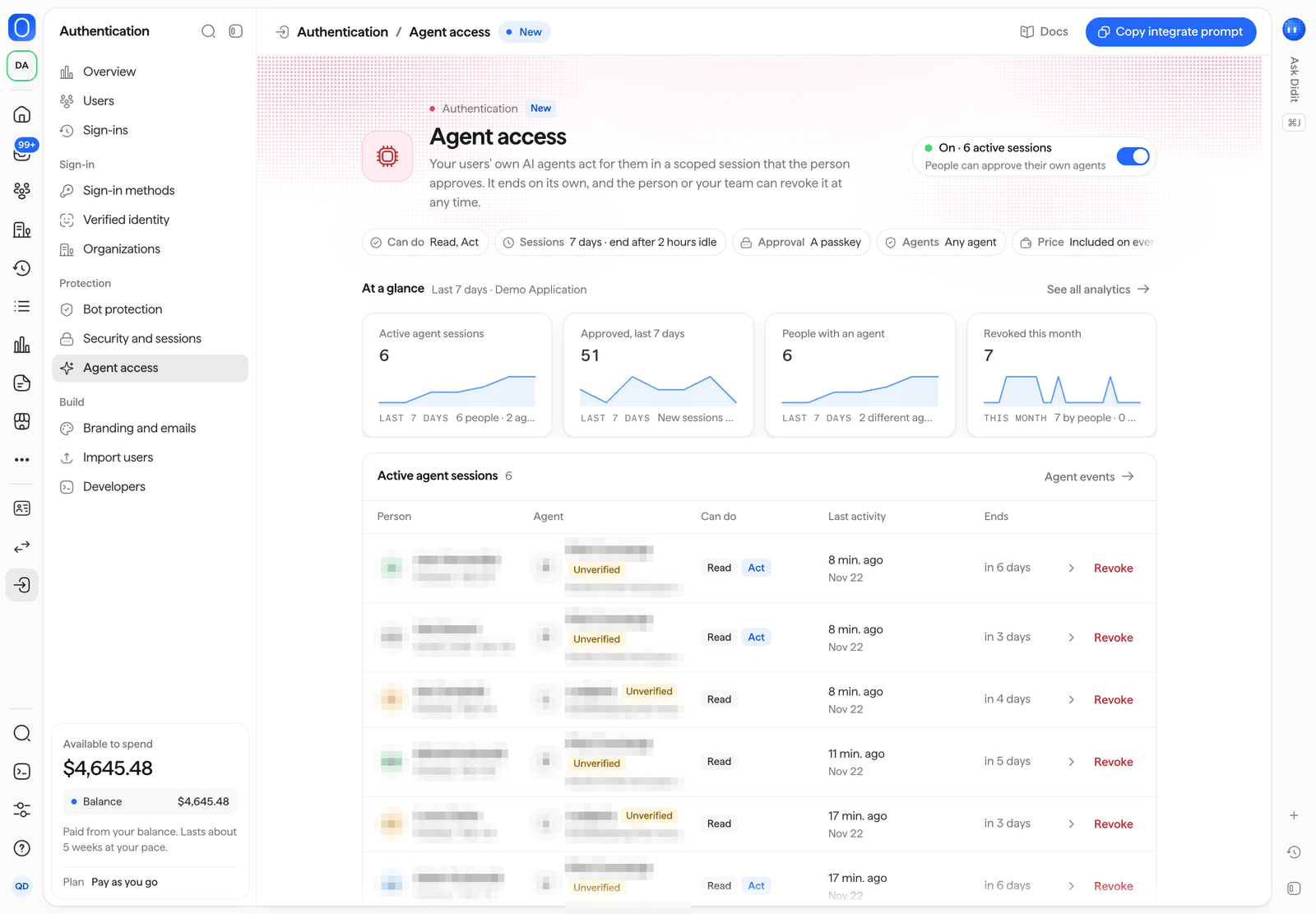
Authentication > Agent access.
Emails and events
When your team revokes an agent’s access from the console, you can choose to email the person that it ended. The email uses your brand, like every sign-in email. Approvals and revocations are recorded assecurity.agent_access_approved and security.agent_access_revoked events on the person’s timeline.
Didit records an approval when the person consents, even if the agent never exchanges its code.
See agent approval audit.