

 Get Started
 Integrate / SDKs
 User Verification
 Business Verification
 Transaction Monitoring
 Changelog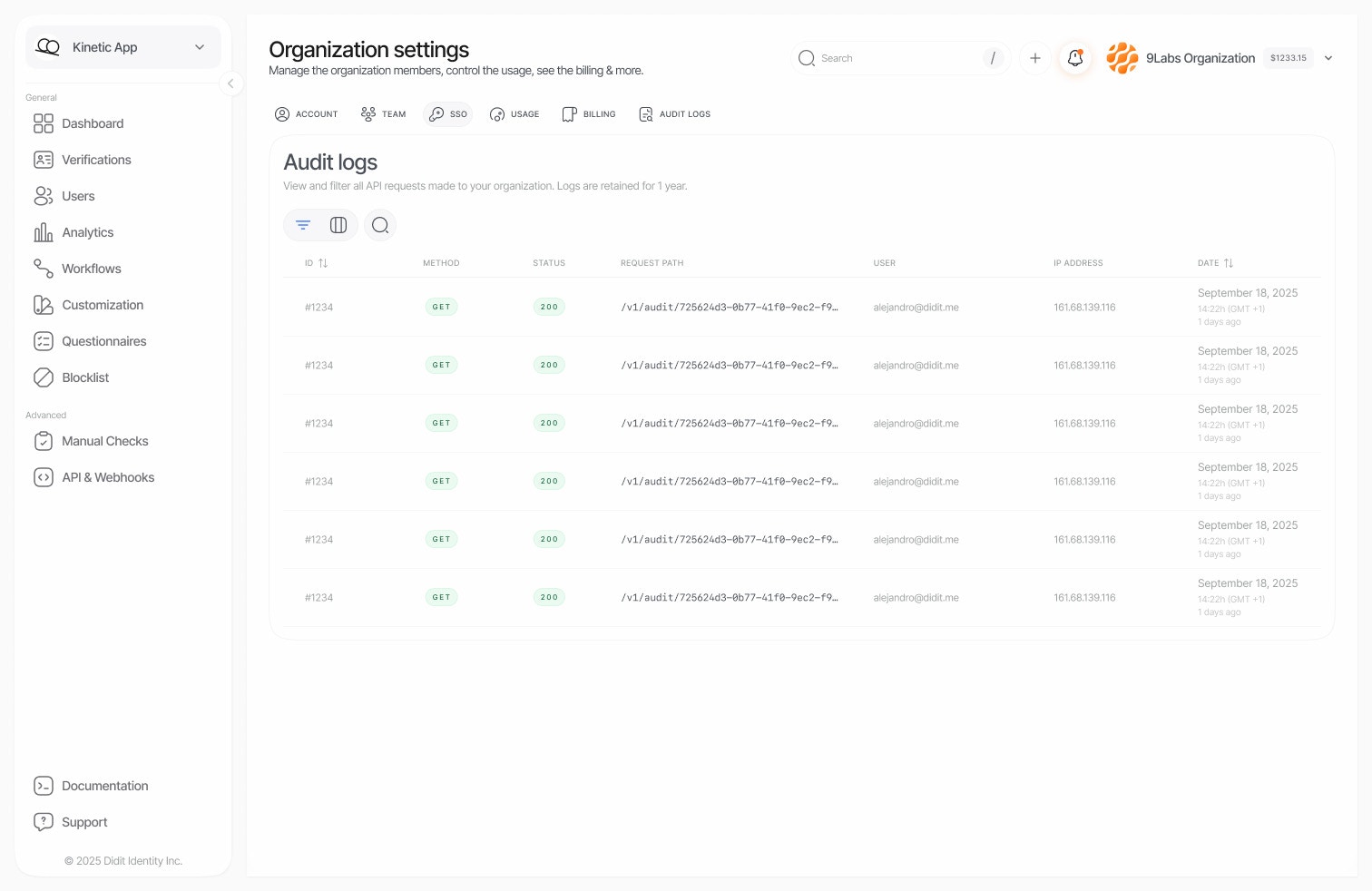
Why audit logs?
Accessing audit logs
Navigate to Audit Logs in your Didit Console sidebar. The interface displays a chronological list of all API requests made within your organization. Each log entry includes:Filtering and search
The Audit Logs interface provides powerful filtering capabilities to help you find exactly what you’re looking for.Smart search
The search bar automatically detects what you’re looking for:Available filters
Data retention
Audit logs are retained for 1 year (365 days) to meet common compliance requirements:For extended retention requirements, contact our support team to discuss enterprise options.
Security and privacy
What’s logged
Audit logs capture metadata about API requests:- Request timestamp and duration
- User identity (email, user ID)
- Request path and query parameters
- Response status codes
- Client IP address and user agent
What’s NOT logged
To protect sensitive data, the following are automatically excluded:- Request/response bodies
- Authentication tokens and credentials
- Passwords and secrets
- Personal data from verification sessions
Access control
Audit log access is restricted to users with Admin or Owner roles in your organization. Regular team members cannot view audit logs unless explicitly granted elevated permissions.Common use cases
Compliance auditing
Compliance auditing
Demonstrate to auditors that you have complete visibility into who accessed verification data:
- Filter by date range matching the audit period
- Filter by specific applications or users if needed
- Export or screenshot the results for documentation
Security investigation
Security investigation
If you suspect unauthorized access:
- Search for the affected user’s email or suspicious IP addresses
- Filter by date range around the suspected incident
- Look for unusual patterns: failed authentication attempts, unexpected endpoints, odd hours
Integration debugging
Integration debugging
When troubleshooting API integration issues:
- Search for the specific endpoint path
- Filter by
4xxor5xxstatus codes to find errors - Note the timestamps to correlate with your application logs
Team activity review
Team activity review
Monitor how your team uses the platform:
- Filter by specific team member emails
- Review which sessions and features they accessed
- Ensure team members are following proper procedures
Best practices
- Regular reviews — periodically review audit logs to catch anomalies early.
- Narrow your search — use specific filters to reduce noise and find relevant entries faster.
- Date ranges — always specify a date range for better performance on large datasets.
- Bookmark searches — save common filter combinations as browser bookmarks for quick access.